How does a computer draw light?
You point a camera at a scene, and for every pixel you ask one question: what does this ray of light hit, and what color comes back?
That’s the whole idea of ray tracing. I wrote one from scratch in C++, with no graphics library. The only dependencies are two header files to read and write PNGs. The code is on GitHub, and this is the final image:
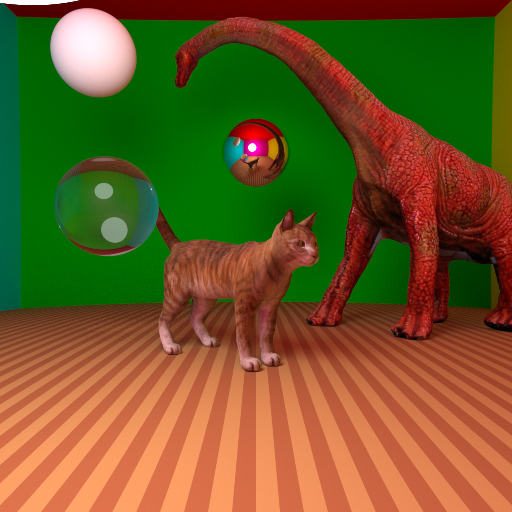
It started as a course project: Informatique Graphique (computer graphics) at École Centrale Lyon, taught by Nicolas Bonneel. The course lays down the basics of ray tracing, and the project ran over several four-hour sessions. Each one added a feature: a new kind of lighting, a new surface, a new optimization. This post follows the same order.
Everything is a sphere
The first object any ray tracer learns to draw is a sphere, because the math is short. A ray is a point plus a direction. Plug it into the sphere’s equation and you get a quadratic in t, the distance along the ray:
Vector v = r.origin - center;
double a = dot(r.u, r.u);
double b = 2 * dot(v, r.u);
double c = dot(v, v) - radius * radius;

double delta = b * b - 4 * a * c;
if (delta < 0)
    return false;
If the discriminant is negative, the ray misses. Otherwise you keep the closest positive root.
Here’s a trick I liked. The room the scene sits in has no planes. Every wall, the floor and the ceiling is a sphere with a radius of 940 or 990, centered 1000 units away. From inside, a sphere that big looks flat enough, and I never had to write a second intersection routine.
Light that bounces
The core of the engine is one recursive function, getColor. It sends a ray into the scene, finds what it hits, and decides what happens next based on the material:
- •A mirror reflects the ray and asks
getColoragain. - •Glass refracts it, using an index of 1.333 (the same as water).
- •Anything else is diffuse. It gets direct light from the lamp, plus indirect light from a random bounce.
The recursion stops after five bounces.
The indirect part is what makes it look real. Light that hits the green wall bounces and tints everything near it. The engine picks the bounce direction at random, weighted toward the surface normal (cosine-weighted sampling), and averages many rays per pixel. One ray per pixel looks like static. Dozens start to look like a photo.
Soft shadows
A point light gives you razor-sharp shadows, and nothing in real life looks like that.
So the light is a sphere too. For every shading point, the engine picks a random point on the half of the light facing it, and checks whether anything blocks the way. Average enough of those samples and the shadow fades out at the edges, exactly like it does under a real lamp.
It isn’t free. Random light samples mean noise, so you need a lot more rays per pixel. And a bigger light means more light: the first soft-shadow renders came out far too bright, simply because the lamp had grown.
Glass that looks like glass
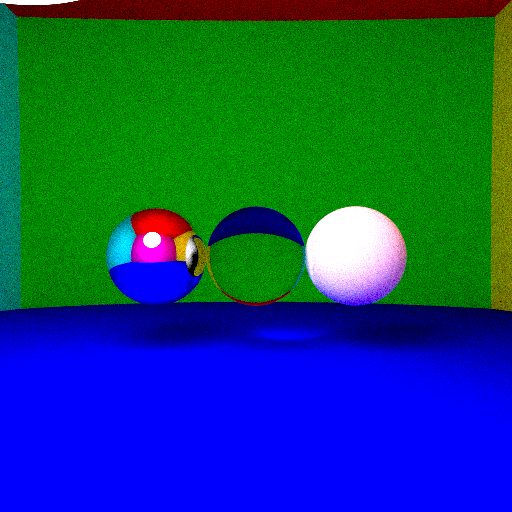
My first transparent sphere refracted perfectly, and it looked wrong.
Real glass also reflects, and more so at grazing angles. Look at a window straight on and you see through it. Look along it and you see a reflection. That’s the Fresnel effect. I used Schlick’s approximation, which blends the refracted and the reflected color:
double k0 = sqr((n1 - n2) / (n1 + n2));
double R = k0 + (1 - k0) * std::pow(1 - std::abs(dot(r.u, normale_transparence)), 5);
double T0 = 1 - R;
color = T0 * color + R * getColor(reflect, rebond - 1);
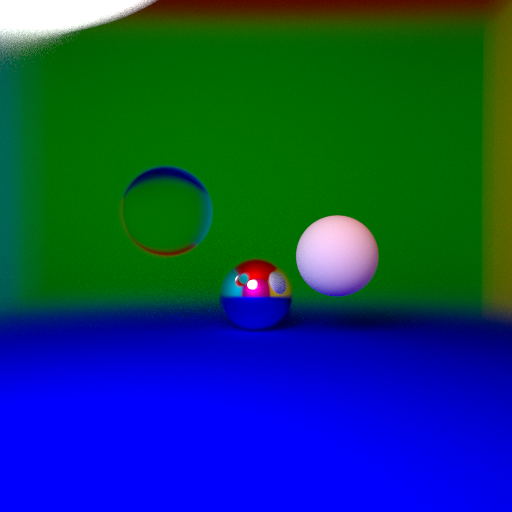
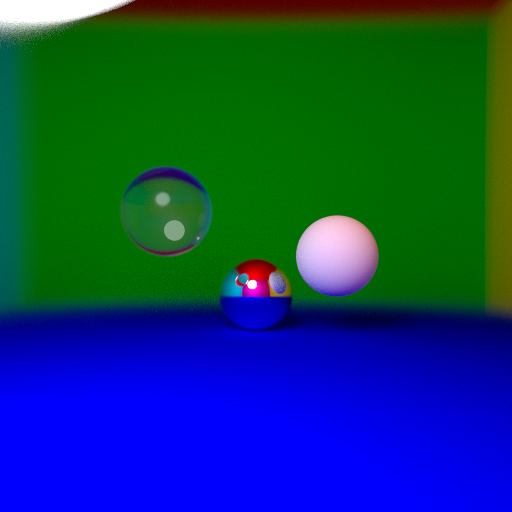
Four lines, and the glass ball finally gets that bright rim:
Antialiasing and depth of field
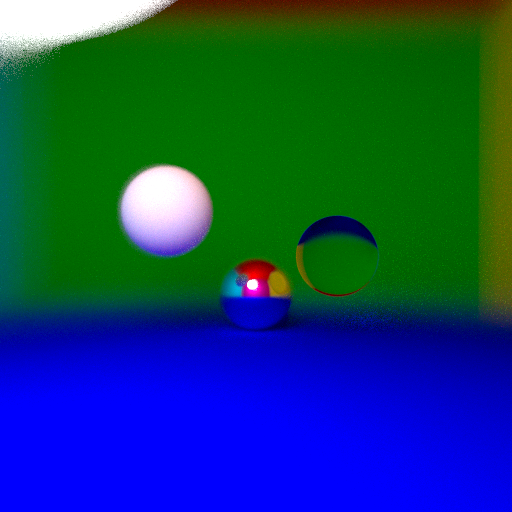
If every ray goes through the exact center of its pixel, edges come out jagged. So each ray gets a small random offset inside the pixel, drawn from a Gaussian with the Box-Muller transform. That’s antialiasing for free, since we’re already averaging many rays per pixel.
The same trick makes a camera. Instead of shooting every ray from one point, jitter its origin across an aperture and aim it at a focal plane. Objects on that plane stay sharp and everything else blurs, like a real lens.
One side effect I didn’t expect: the light, which pokes in from the top-left corner, comes out badly warped once the lens blurs it.
Meshes, and why you need a BVH
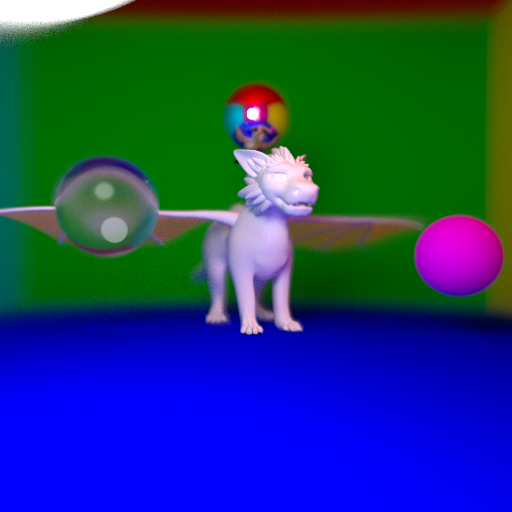
Spheres only get you so far. To draw the cat and the dinosaur, the engine loads OBJ files: vertices, normals, texture coordinates and triangles.
A triangle hit gives you barycentric coordinates, three weights that say where the hit landed between the corners. The engine uses them twice. Once to blend the three vertex normals, so the surface looks smooth instead of faceted. And once to look up the texture, so the cat gets its fur.
The problem is that a mesh has thousands of triangles, and testing every ray against every one of them is hopeless.
The first fix is a single bounding box around the cat. If a ray misses the box, it can’t hit any of the triangles inside, so you skip them all. That already saves a lot.
The real fix is a bounding volume hierarchy, which turns the search from linear in the number of triangles into roughly logarithmic. Put the whole mesh in a box. Split the triangles in two along the box’s longest axis, give each half its own box, and repeat until a node holds only a handful of triangles. A ray that misses a box skips everything inside it:
int pivot = debut;
for (int i = debut; i < fin; i++)
{
    double mid_triangle = (vertices[indices[i].vtxi][dimension] + vertices[indices[i].vtxj][dimension] + vertices[indices[i].vtxk][dimension]) / 3;
    if (mid_triangle < mid[dimension])
    {
        std::swap(indices[i], indices[pivot]);
        pivot++;
    }
}
That loop is the whole split: it partitions triangles by their center, the same way quicksort does.
With the BVH in place, a full scene at 512×512, with 64 rays per pixel, 5 bounces, every effect on and several meshes, renders in a bit under two minutes. Without it, the same image would have taken hours.
Textures without image files
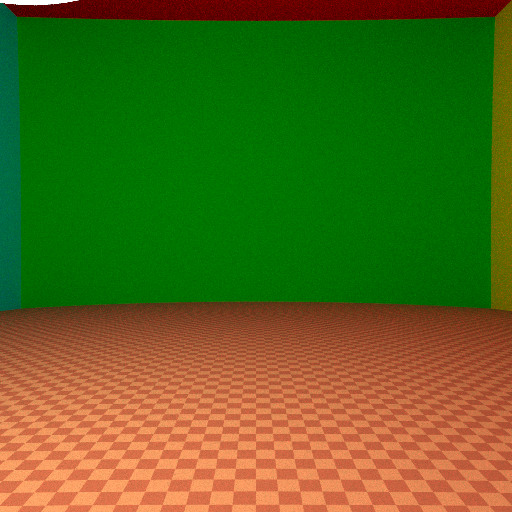
Not every texture needs an image. A procedural texture is just a function of the hit point. The floor’s stripes, diagonals and checkerboard all come from a few lines that look at the hit’s coordinates and pick between two wood colors, and a sine pattern does the same for spheres.
Making it fast enough
Rendering is embarrassingly parallel, since every pixel is independent. One line of OpenMP spreads the rows across every core:
#pragma omp parallel for schedule(dynamic, 1)
for (int i = 0; i < H; i++)
schedule(dynamic, 1) matters here. Rows that hit the glass ball take much longer than rows of empty wall, so handing out one row at a time keeps every core busy until the end.
The final image, the cat and the dinosaur, uses 2048 rays per pixel at 512×512 with up to 5 bounces. It renders in under an hour.
What I’d do differently
Looking at the code now, a few things stand out.
The random number generator is one global object, shared by every OpenMP thread. That’s a data race. It happens to produce noise that looks fine, but each thread should get its own generator.
Scenes are hardcoded in main. Switching between the cat scene and the spheres means commenting lines in and out, and recompiling. A small scene file would have saved a lot of time.
And it’s one 1,100-line file. Fine for learning, painful to change.
What I’d build next is a video rendering system. A video is just a sequence of frames where the camera or the objects move a little each time, so the hard part isn’t the idea. It’s render time: at up to an hour per frame, even a few seconds of video could take days, so the renderer would need to get a lot faster first.
What I’d tell you if you want to try
- •Start with one sphere and one light. Get a correct image before you get a pretty one.
- •Add one effect at a time and keep a render of each step. The before and after is the best debugger you have.
- •Write the BVH as soon as you load your first mesh. Without it, you’ll spend your time waiting instead of learning.